 CRT
d8f3a6e3df Procedural, game-ready vehicles for three.js: 13 body styles, blending, seeded random vehicles, three LODs, colliders, 13 parametric mods, paint and livery, a rig that drives, and GLB export that a game can load and drive. Ships with a studio (browser or Tauri desktop app) and a Play mode. |
||
|---|---|---|
| art/brand/masters | ||
| assets/src | ||
| media | ||
| scripts | ||
| src | ||
| src-tauri | ||
| tools | ||
| .gitattributes | ||
| .gitignore | ||
| bun.lock | ||
| index.html | ||
| LICENSE | ||
| package.json | ||
| README.md | ||
| tsconfig.json | ||
| vite.config.ts | ||
vehicle-generator
Alpha · in development. Things work, things change; the spec format and the API may still move between 0.x releases.
Procedural, game-ready vehicles for three.js. Give it a spec (a body style, some proportions, a paint job, a list of mods) and it builds a rigged car with three levels of detail, a physics collider and a GLB you can drop into any engine. The same spec always produces the same vertices.
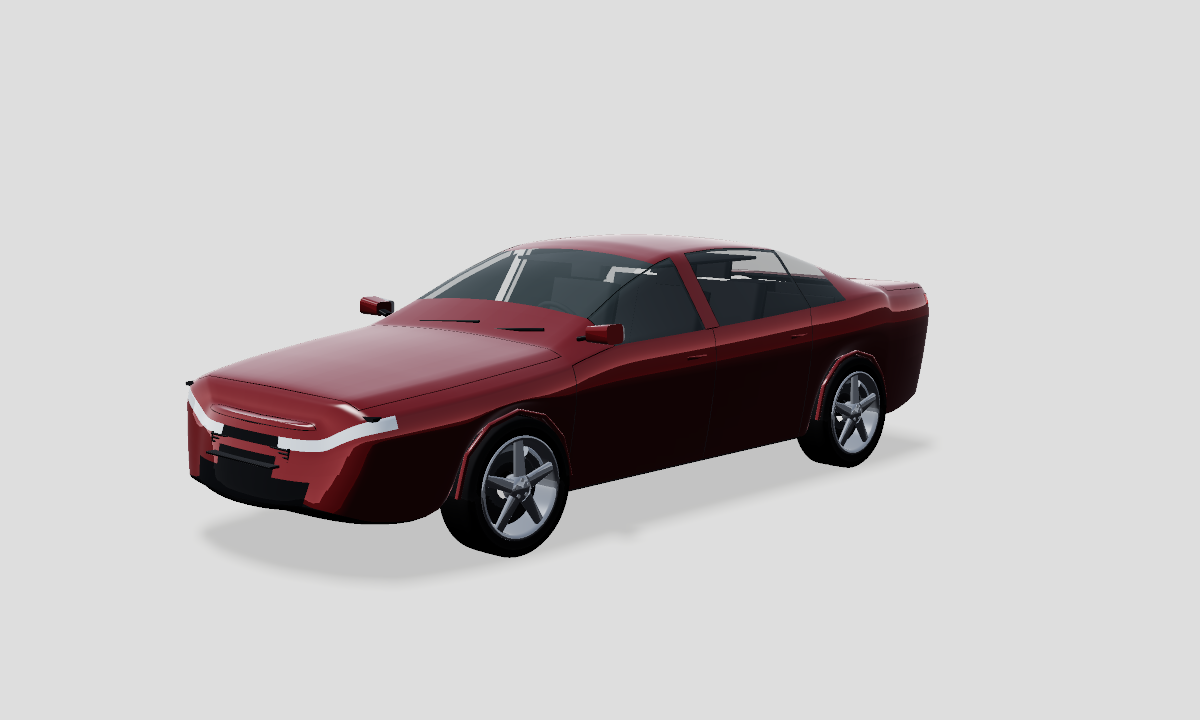
It ships as a TypeScript library and as Vehicle Generator, a studio app for shaping cars, fitting parts, driving them and exporting them. The studio runs in a browser or as a desktop app.
Status
Version 0.1.0, alpha.
Works today
- The library: 13 body styles, blending, seeded random vehicles, three LODs, colliders, 13 mods, paint and livery, the rig, and GLB export that a game can load and drive.
- The studio, in a browser or as a desktop app: garage, customs, properties, export, undo and autosave.
- Play mode: drive any vehicle on a generated circuit or in traffic.
In progress
- Bodies drawn from authored cages. The sedan is the first: its shape comes from a control cage subdivided at run time. The other twelve styles still use the older lofted body and are moving over one by one.
Planned
- One-click import into Godot, Unity and Unreal (shown as planned in the studio's export menu; today you export GLB or spec JSON).
- Physics values for game engines: mass, centre of mass, springs, dampers, steering lock and a torque curve, exported with the GLB.
- Interiors with real seats, dashboards and door cards; more part variants per style; paint slots and finishes; a photo mode; two-wheelers.
What you get
- 13 body styles:
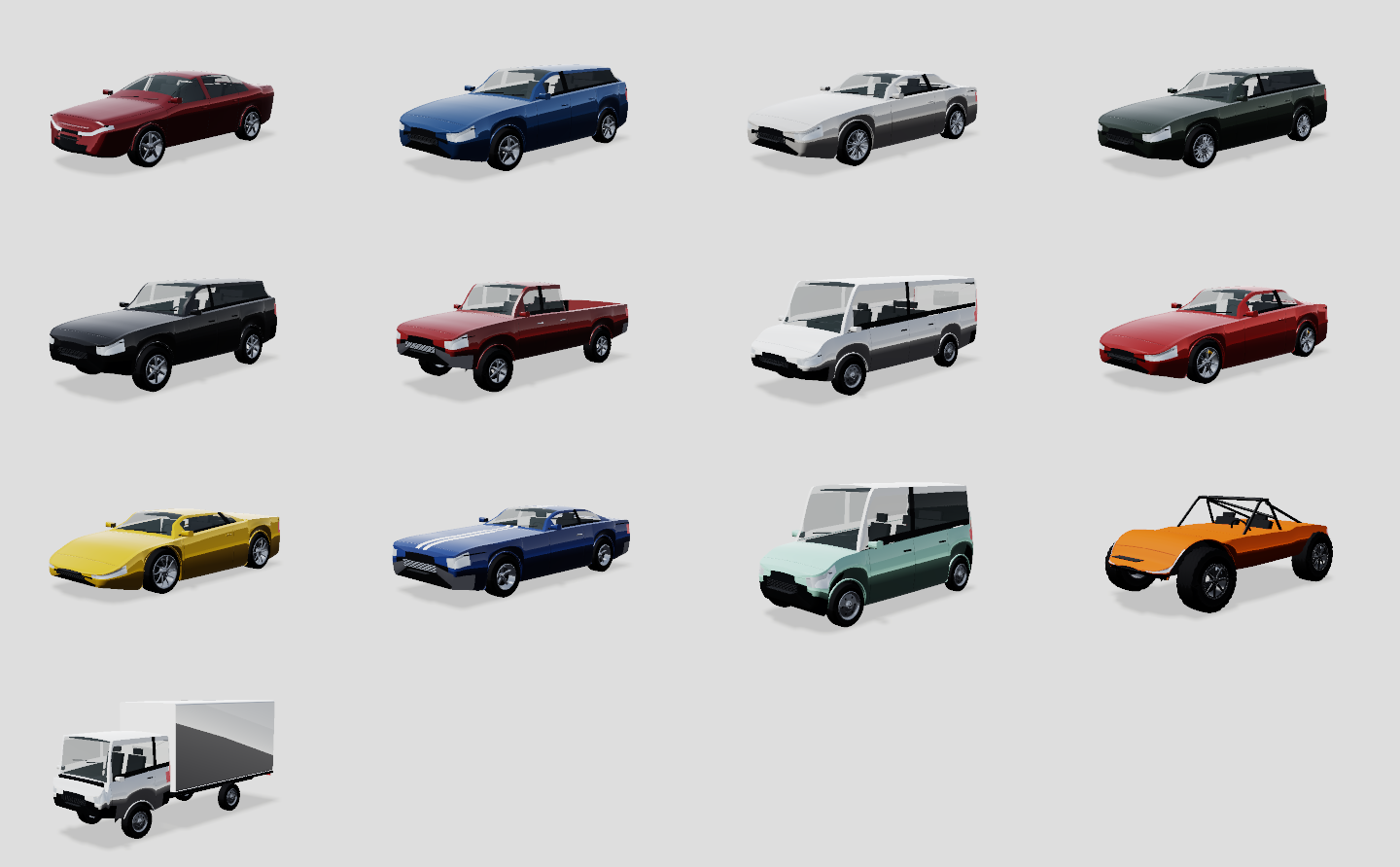
sedan,hatchback,coupe,wagon,suv,pickup,van,sports,supercar,muscle,kei,buggyandtruck(a cab-over with a load box). Each is a preset of the same generator, so any two can be blended: a hatchback 40 % of the way to an SUV is a crossover. - Real proportions. Every preset is measured off a real vehicle of its segment: overall dimensions, wheelbase, overhangs, tyre size, and where the windshield, roof and rear glass start and end. The default sedan is 4.85 m long and 1.86 m wide on a 2.84 m wheelbase and 0.69 m tyres.
- Smooth bodies, not boxes. The sedan's body is a subdivision surface:
an authored control cage (
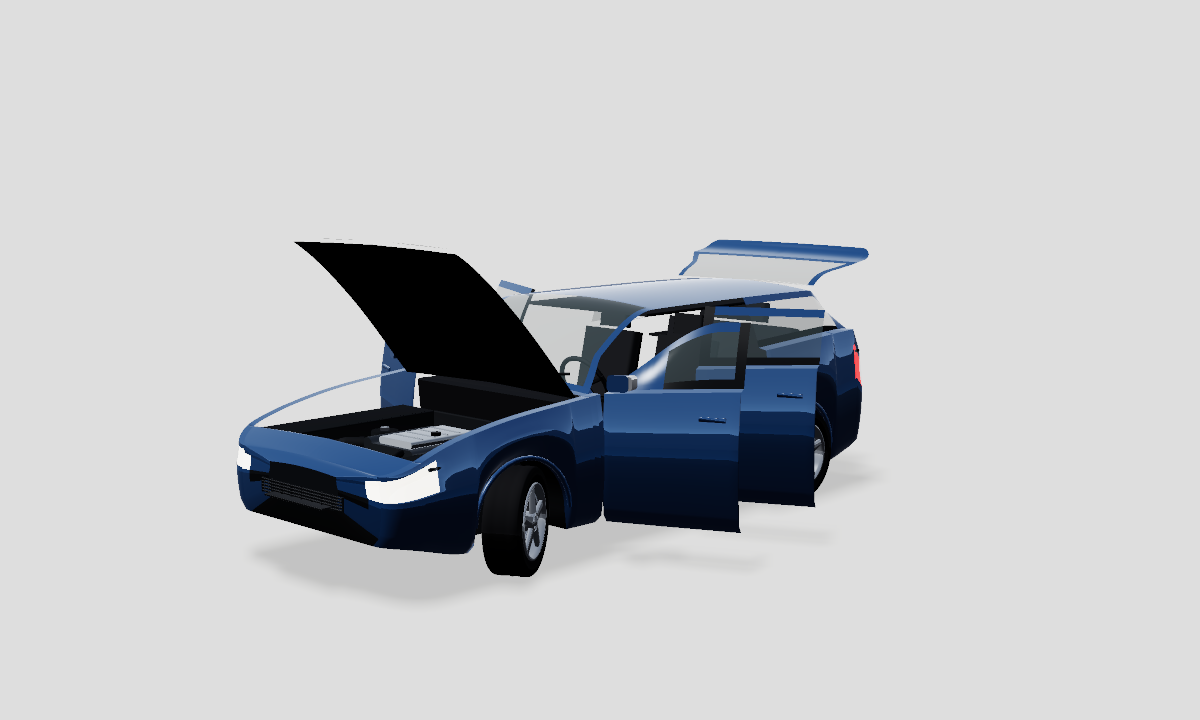
assets/src/sedan.py) is fitted to the spec, subdivided with creases and split into panels with real gaps. The other styles are lofted from cross-sections driven by profile curves. Either way, hard creases sit where a real car has them: the shoulder, a character line along the flank, the rocker and the windshield base. Panel gaps are real grooves, and the wheel arches are cut into the sills with rolled lips. The glass is flush. Lamps are recessed reflectors behind clear lenses. The car also gets a grille, mirrors, door handles, wipers, licence plates, brake discs and calipers. Tyres have sidewalls and tread, and there are seven rim styles. An interior sits behind tinted, reflective glass. - Under the panels. Open the bonnet and there is an engine bay: firewall, inner wings, strut towers, an engine with its cam cover and intake, a radiator and fan, a battery, fluid reservoirs and hoses. The boot has a carpeted load floor and a spare wheel in its well. Hatchbacks, wagons, SUVs, vans and kei cars lift a whole tailgate. The supercar is mid-engined: the engine sits under the rear lid and the bonnet covers a front boot.
- Levels of detail. For the default sedan, LOD0 is 56,828 triangles, LOD1
is 20,720 and LOD2 is 4,364. A
THREE.LODswitches between them by distance. Stock vehicles stay under 60k triangles on LOD0, and mods may add up to 6k more. - A rig that drives. Wheels spin and the front pair steers with Ackermann geometry. Doors, bonnet and boot (or tailgate) open on hinges, and the steering wheel turns. The body rolls and pitches on its suspension while the wheels stay planted. Head-, tail- and brake lights switch on and off. Every pivot sits at its hinge or axle, so each motion is a single rotation.
- Collision. You get a convex hull of the body and a two-box compound, plus wheel positions and radii for a raycast-vehicle setup.
- 13 composable mods:
spoiler,bodyKit,widebody,suspension,wheelSet,bullBar,roofRack,snorkel,exhaust,hoodScoop,lightBar,rollCageandmudFlaps. Each is parametric and fits every body style, because it is placed against the body's own curves. - Paint. Finishes are solid, metallic, pearl and matte, built on
MeshPhysicalMaterialclearcoat and iridescence. You also get two-tone (roof, lower or upper body), twin-stripe, side-stripe and rally liveries, separate rim, trim and caliper colours, curated palettes, and a seeded random that picks believable colours. - GLB export that round-trips. Node names, pivots, rig tags, vertex
colours, clearcoat and animation clips all survive the export, and
createRig()drives a re-imported GLB the same way it drives the generated car.
Quick start
Requires Bun.
bun install
bun run dev            # the studio at http://localhost:5173
Use the library
import { generateVehicle, preset, randomSpec, exportVehicleGlb } from 'vehicle-generator'

const car = generateVehicle(preset('hatchback'))
scene.add(car.group)

// Drive it.
car.rig.setSteer(0.3)            // radians, positive is left; also turns the steering wheel
car.rig.update(dt, speed)        // rolls the wheels for a car moving at `speed` m/s
car.rig.open('doorFL', 1)        // 0 = shut, 1 = open; also 'hood' and 'trunk'
car.rig.setBodyPose(roll, pitch)  // lean the sprung body; the wheels stay planted
car.rig.setBrake(true)
car.rig.setHeadlights(true)

// Physics.
car.collider.hull                // convex BufferGeometry of the body
car.wheels                       // hub positions, radius, width, steer/drive flags

// Repaint without a rebuild.
car.setPaint({ ...car.spec.paint, primary: '#1f3a5f', finish: 'pearl' })

// A random vehicle, and a GLB of it.
const other = generateVehicle(randomSpec(1234))
const glb = await exportVehicleGlb(other)          // ArrayBuffer, LOD0 plus animation clips
The generator imports plain three, so it works with WebGLRenderer and with
WebGPURenderer. The frame is glTF's: +Y up, the vehicle faces +Z, +X is its
left, and the ground is y = 0.
Load a GLB in a game and drive it
import { createRig } from 'vehicle-generator'

const gltf = await new GLTFLoader().loadAsync('hatchback.glb')
const rig = createRig(gltf.scene)   // reads the tags stored in glTF extras
rig.setSteer(-0.2)
rig.open('trunk', 1)
Clips named open_<part> and wheels_roll come with the file, for engines
that prefer animation clips to code.
The spec
A VehicleSpec is plain JSON:
{
  "style": "pickup",
  "seed": 42,
  "body":    { "length": 5.3, "width": 1.95, "roofHeight": 1.9, "cowl": 0.72, "bed": { "start": 0.02, "end": 0.42, "depth": 0.5 } },
  "wheels":  { "radius": 0.4, "width": 0.265, "rim": "spoke", "spokes": 6, "tread": "offroad", "camber": 0 },
  "chassis": { "wheelbase": 3.4, "frontOverhang": 0.9, "track": 0.86, "rideHeight": 0, "drive": "rwd" },
  "cargo":   { "type": "none", "length": 0, "height": 0 },
  "paint":   { "primary": "#7a1f1f", "finish": "solid", "twoTone": "none", "livery": "none" },
  "mods":    [{ "kind": "bullBar", "params": { "height": 0.45 } }, { "kind": "suspension", "params": { "height": 0.1 } }]
}
Start from preset(style) and change what you need. Longitudinal stations
(cowl, roofFront, roofRear, deck) are fractions of the body length
measured from the rear, so they stay put when the length changes.
blendSpecs(a, b, t) interpolates two specs. randomSpec(seed, { style })
draws one.
Mods
A mod is { kind, params }. MODS[kind].params describes its controls (number
ranges and option lists), and the studio builds its inspector from that. Some
mods change the spec before the build: widebody widens the arches and the
track, suspension moves the body, and wheelSet swaps the wheels. The rest
add geometry afterwards. Each lands in its own node (mod_roofRack,
mod_spoiler, and so on). Mods mounted on something that opens are parented to
it: a boot-lid spoiler rides the lid and a hood scoop rides the bonnet.
Node layout
vehicle_<style>
└─ vehicle_lod (THREE.LOD)
   └─ LOD0
      ├─ body            meshes per material: body_paint, body_glass, body_lightTail, …
      ├─ doorFL          pivot at the front hinge  → rotation.y opens
      ├─ hood            pivot at the rear edge    → rotation.x opens
      ├─ trunk           pivot at the hinge line   → rotation.x opens
      ├─ steering_column → steering_wheel          → rotation.z turns
      ├─ wheel_FL        steer (rotation.y) → wheel_FL_camber → wheel_FL_spin (rotation.x)
      └─ mod_*           one node per mod
LOD1 and LOD2 repeat the same tree with _LOD1 and _LOD2 suffixes. Each LOD
costs one draw call per material in each node, about 40 to 50 on LOD0.
The studio
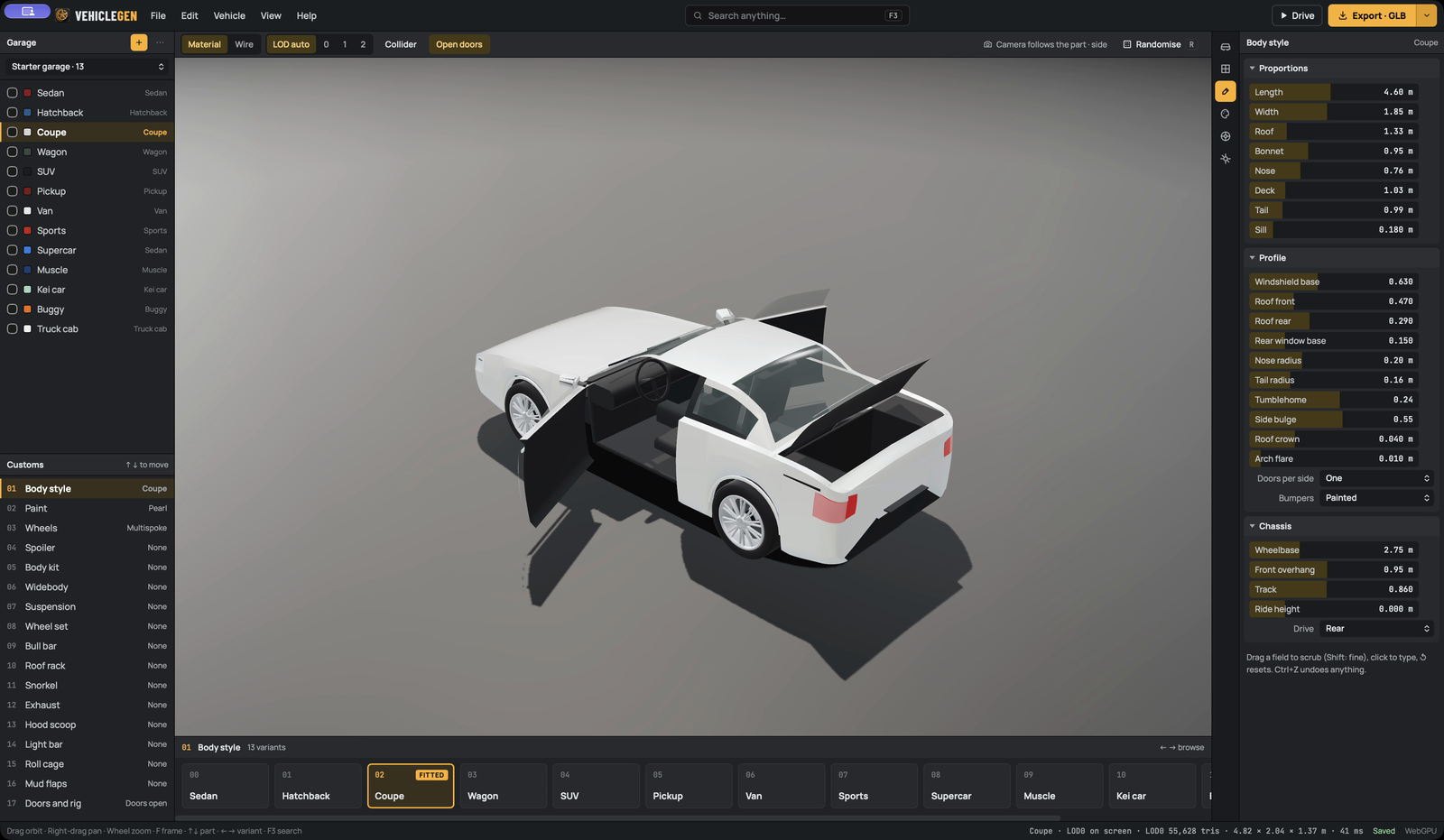
The studio is bun run dev, or the desktop build below. It is one window laid
out like a 3D editor:
- Garage (left): collections of saved vehicles, kept in IndexedDB. Click to open, double-click or F2 to rename, drag to reorder, tick several to export them together. An entry stores the spec, not the mesh, so a thousand-car collection is smaller than one GLB. Collections import and export as JSON.
- Customs (left): numbered part categories (body style, paint, wheels and every mod). Picking one swings the camera to that part; the variant shelf under the viewport lists its numbered variants. ↑/↓ move between parts, ←/→ fit the next variant.
- Properties (right): vertical tabs for the vehicle, body and proportions, the selected part, paint, wheels, and the rig (steering, lights, opening panels). Number fields scrub when dragged (Shift for fine steps), take a typed value when clicked, and reset with ↺.
- Export (top right): a split button that repeats the last format for the open vehicle, or every ticked one as a zip: GLB, GLB with all LODs, or spec JSON.
- Every edit saves itself and can be undone (Ctrl+Z, Ctrl+Shift+Z). F3 searches commands, parts, styles and vehicles.
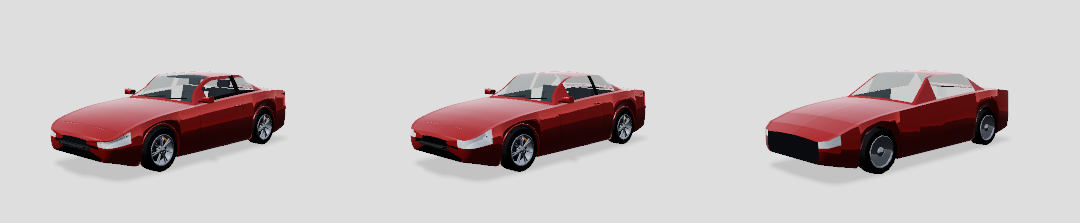
The viewport uses ACES filmic tone mapping, a PMREM studio environment and a soft contact shadow, with automatic or pinned LOD, wireframe and the collider hull. Metallic and pearl paint get a fine flake layer under the clearcoat; the flake map is studio-only, so exported GLBs carry no textures.
Play mode
Press Drive (or P) to drive the current vehicle around a generated
world.
- Circuit: a closed race track with kerbs, gravel run-off, steel barriers and a start gantry. Every seed draws a different track.
- Traffic: a four-lane ring road with pavements, buildings, street lights and a dozen generated cars sharing it.
The car follows the track spline. It brakes for bends from their curvature,
steers through its wheelbase, rolls and pitches with the load, and turns on
its brake lights when it slows. The camera cuts and dollies between chase,
low front, tracking side, helicopter and wheel-arch shots, with depth of
field focused on the car. Drag to orbit around the moving car; let go and the
camera goes back to following it. C and T switch worlds and Esc returns
to the studio.
Press ? for the keyboard shortcuts. The main ones are F3 (search), R
(randomise), N (new vehicle), Ctrl+E (export again), W (wireframe) and
1/2/3 (pin a LOD).
Desktop app
The desktop build wraps the same studio in Tauri v2 with a frameless window. The top bar doubles as the title bar: drag it to move the window, double-click it to maximise, and right-click it for the window menu. F11 toggles fullscreen.
bun run desktop:dev     # needs a Rust toolchain
bun run desktop:build   # installer under src-tauri/target/release/bundle
Command line
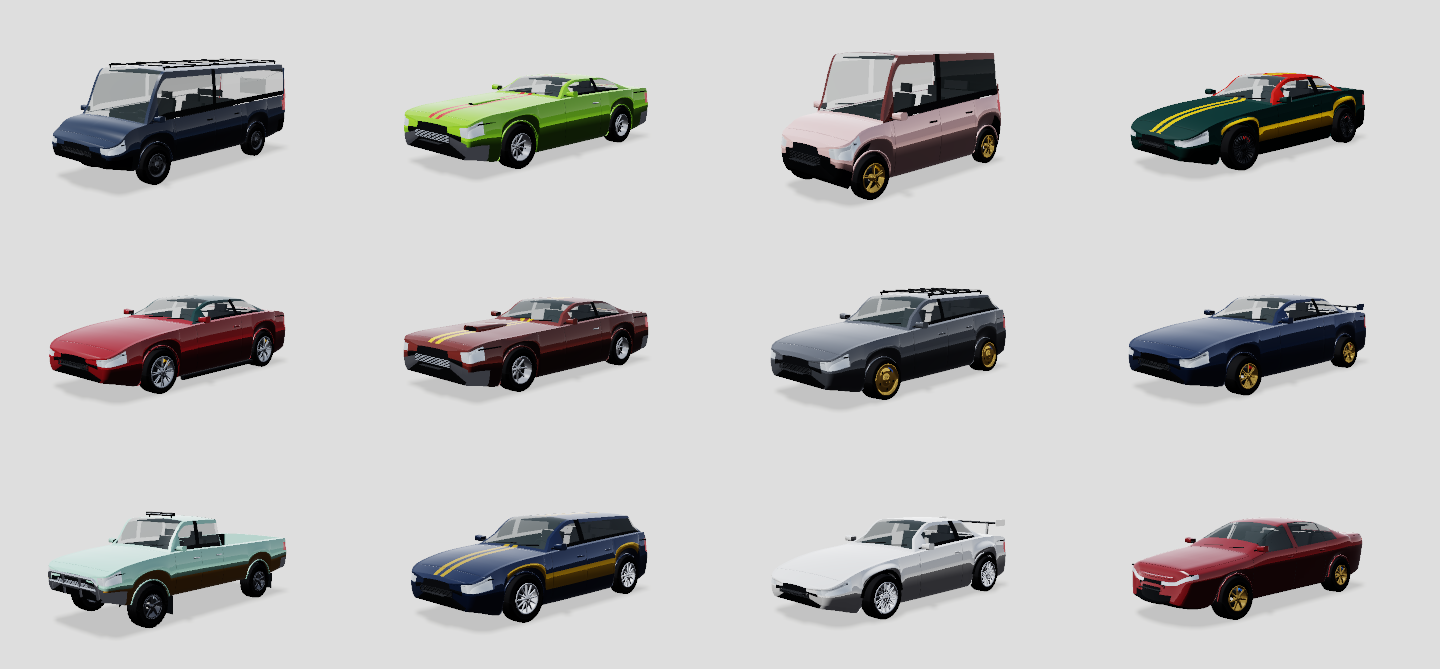
bun run render                          # contact sheet of every body style → renders/
bun scripts/render.ts --rig sedan       # doors open, wheels steered
bun scripts/render.ts --random 12       # twelve random seeds
bun run export:glb                      # every body style → glb/
bun scripts/export-glb.ts --library my-garage.vehicle-generator.json
bun run cages:build                     # rebuild the authored body cages (python3)
bun run cages:watch                     # rebuild a cage on every save; the studio reloads in place
bun run cages:build sedan --render renders/cages   # six Blender views of a cage (needs Blender)
Rendering uses a small software rasteriser, with no browser and no GPU, so the images in this README are regenerated by a script.
Verification
bun run gate
gate runs every check below.
typecheck: strict TypeScript over the library, the studio and the scripts.verify: about 3,400 checks. It runs every body style, 26 random seeds, style blends, every mod on every style (one at a time and all together) and every livery on every style. It checks for finite geometry and unit normals, the triangle budget of each LOD, and draw calls. It checks that tyres sit on the ground and the body clears it. It checks that every door, bonnet and boot opens, closes exactly and keeps its hinge in place, that the Ackermann steering is correct, that wheels roll at the right rate, and that body roll leaves the wheels where they are. It also checks that the collider hull encloses the body and is wound outward, that seeds are deterministic, and that library operations and file round trips work.verify:glb: exports every style, re-imports it, and checks meshes, triangles, vertex colours, node names, pivots and animation clips. It then drives the imported rig and the generated rig side by side and compares where they put each part.check:docs: checks this README's numbers and lists against the code.build: the production web build.
Layout
src/generator/   the library: bodies (loft and cage), wheels, interior, mods, rig, collider, export
src/library/     vehicle libraries: format, IndexedDB store, zip writer
src/app/         the studio
src-tauri/       the desktop shell
assets/src/      authored body cages as Blender Python (built into src/generator/cages/)
scripts/         verification, renders, batch export, cage builds
tools/           brand art: the app icon's painted master and its cut-out
media/           README images
Contributing
This is alpha software: expect rough edges and breaking changes. Bug reports
with a spec JSON (Export → Spec JSON) that reproduces the problem are the most
useful kind. Before sending a change, run bun run gate.
License
MIT © CRTkafa