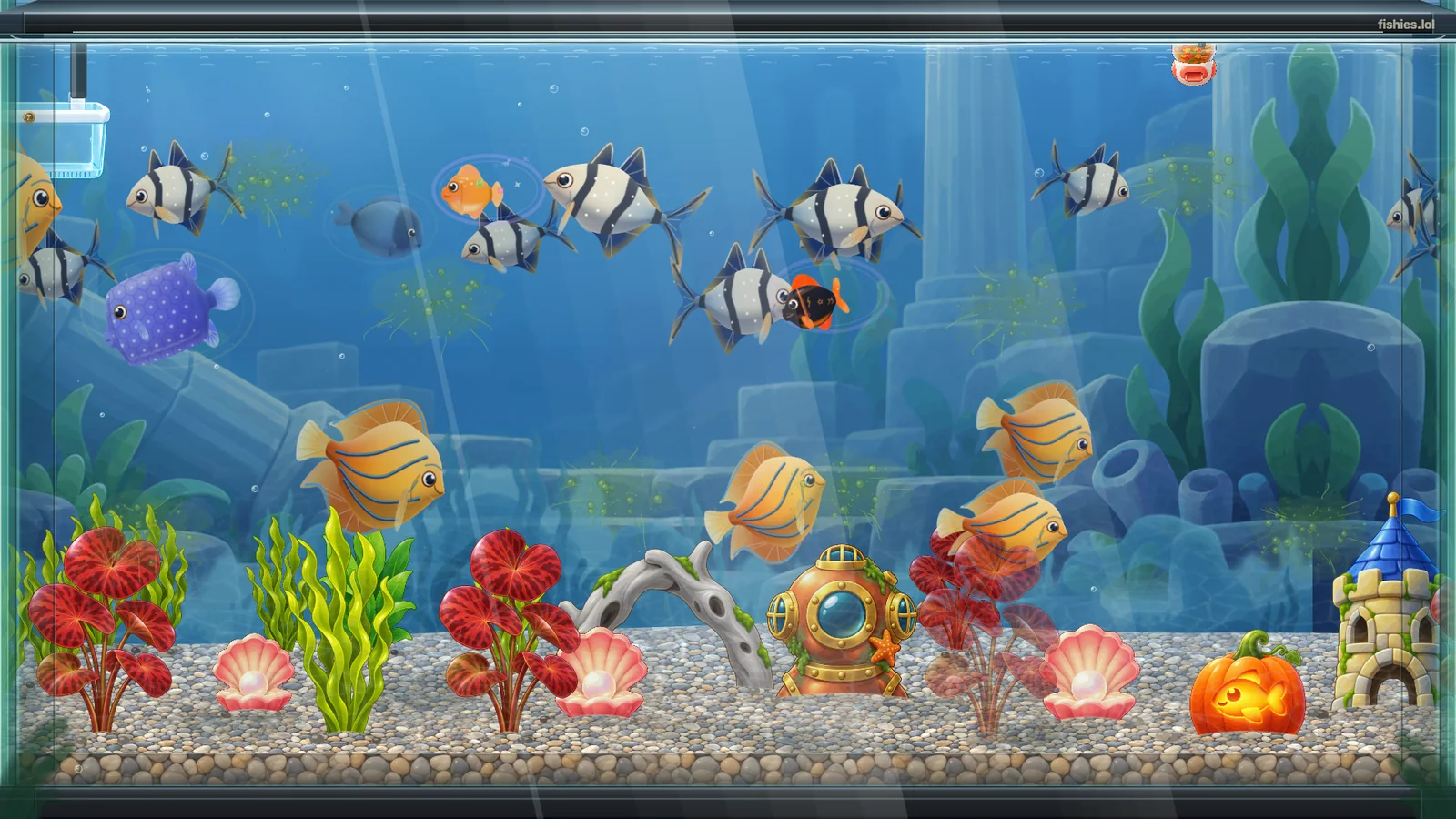
# Fishies · your aquarium as a live wallpaper A Fishies aquarium as a desktop wallpaper: tropical fish swimming over a pebble floor with plants and a diving helmet A web wallpaper for [Wallpaper Engine](https://www.wallpaperengine.io) that shows a Fishies aquarium on your desktop: the real, live tank, with no HUD and no sound.
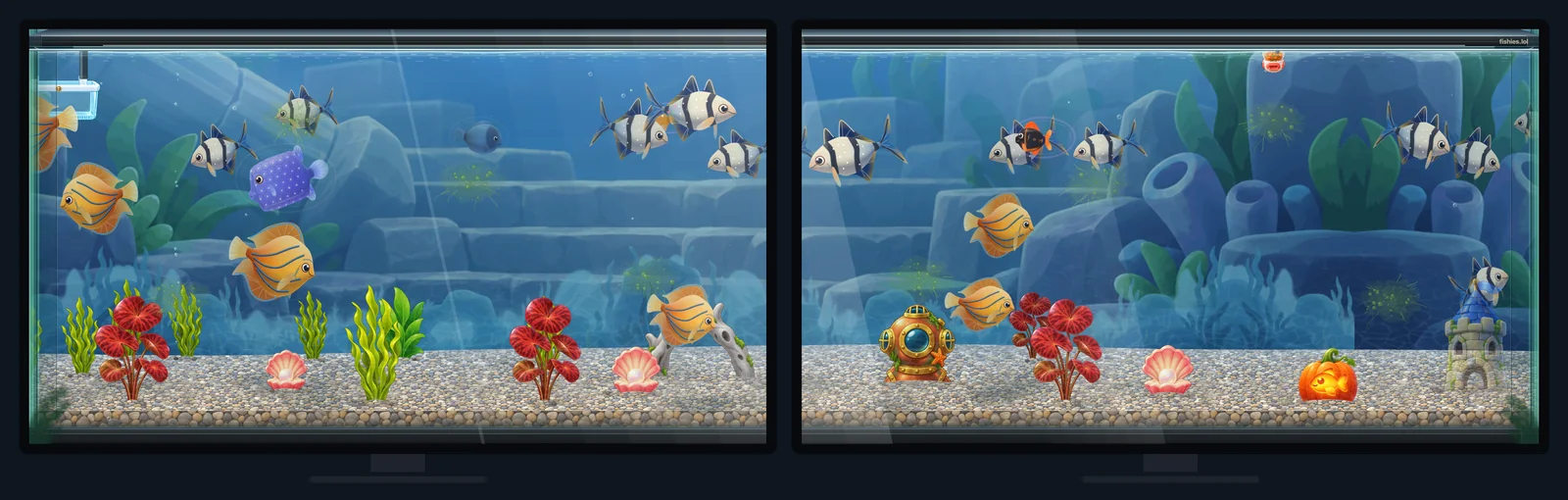
## Install The easy way: open [Fishies · live aquarium on the Steam Workshop](https://steamcommunity.com/sharedfiles/filedetails/?id=3827022396) and press **Subscribe**. Wallpaper Engine installs it; then do step 3 below. By hand: 1. Download [fishies-wallpaper-engine.zip](https://cdn.fishies.lol/downloads/wallpaper-engine/fishies-wallpaper-engine.zip) and unpack it. (The aquarium and its art are built from the game for each release, so this repository holds the page and its settings; the zip holds everything.) 2. In Wallpaper Engine, open the **Wallpaper Editor**, choose **Create Wallpaper** and pick `index.html` from the unpacked folder. (Or drag `index.html` onto the Wallpaper Engine window.) 3. Select the wallpaper, open its settings on the right and type your **Fishies handle**: the name after `@` in your aquarium's address, `fishies.lol/@your-handle`. Pasting the whole link works too. Your fish appear as soon as the handle is in. Anyone's public aquarium works, so you can keep a friend's tank on a second monitor. ## Settings | Setting | What it does | | --- | --- | | Fishies handle | Whose aquarium to show: a handle, `@handle` or the aquarium's link | | Aquarium | Aquarium 1, 2 or 3 of that keeper. One that is private or missing shows the keeper's first public aquarium. | | Frames per second | 10 to 60, 30 by default. Lower is lighter on a laptop. | | Show the fishies.lol mark | A small `fishies.lol` in the top right corner, on by default | ## More than one monitor One aquarium spanning two side by side monitors - **One wallpaper per monitor** (Wallpaper Engine's default): every monitor has its own settings, so each can show a different keeper or a different aquarium, at its own frame rate. - **Span across monitors**: choose the span layout in Wallpaper Engine and one aquarium stretches over all of them. Wide and tall screens are filled edge to edge, never stretched: an ultrawide (3440x1440), a 32:9 pair (3840x1080), a portrait monitor (1080x1920) and 4K all keep the fish at their own shape. - High DPI screens draw at their full resolution. ## How it behaves - Everything it draws ships inside the wallpaper: the aquarium engine, the fish, the decorations and the tank art. The only thing it reads from the internet is the aquarium itself, from `https://fishies.lol/api/public/`, once a minute. - The fish are the game's own: the same engine, rigs and swimming as in Fishies, at the frame rate you set. - It stops drawing completely when Wallpaper Engine pauses it (for example while a game runs full screen), and the fish carry on from where they were when it comes back. - No internet? It shows the last aquarium it saw and keeps trying. On its very first start without a connection it shows a small Fishies card that says what it is waiting for, and the tank appears as soon as fishies.lol answers. - It is the game's read-only view: no sound, no menus, and nothing on it can be clicked. - It is the live aquarium, so a fish that is hungry in the game is hungry on your desktop too. ## Files - `project.json` · what Wallpaper Engine reads: the title, the four settings and the preview. - `index.html` · the page. Open it in a browser as `index.html?handle=your-handle` to try it without Wallpaper Engine (`&aquarium=2`, `&fps=60` and `&mark=0` work too). - `fishies-aquarium.js` · the aquarium engine, built from the game (in the zip). - `game/` · the art, one small script per picture so it loads straight from the wallpaper's folder (in the zip). - `preview.jpg` · the picture in Wallpaper Engine's list. ## How this repository is made It is published from the game's own tooling at each release, one commit per release (`Fishies `). This is the version for Fishies 0.8.15. ## Found a problem, or built something? [Open an issue](https://git.crt.fyi/PlayFishies/fishies-wallpaper-engine/issues), or send a pull request: fixes, new settings and ports to other wallpaper apps are welcome. An accepted change is copied into the game's tooling so the next release keeps it. To talk to us, come to [Discord](https://discord.gg/fishies). ## More ways to show your aquarium - **On your own site:** [fishies-embed](https://git.crt.fyi/PlayFishies/fishies-embed), an iframe, one HTML tag and a live README card. - **On your stream:** [fishies-stream-overlay](https://git.crt.fyi/PlayFishies/fishies-stream-overlay), a browser source for OBS and Streamlabs. ## Licence The code is [MIT](LICENSE): use it however you like. The aquariums it shows, the fish and tank art in the zip, and `preview.jpg` are © Fishies · they may be used to talk about or show Fishies; not for use in other games or products.