
4.3 KiB
Fishies · your aquarium as a stream overlay
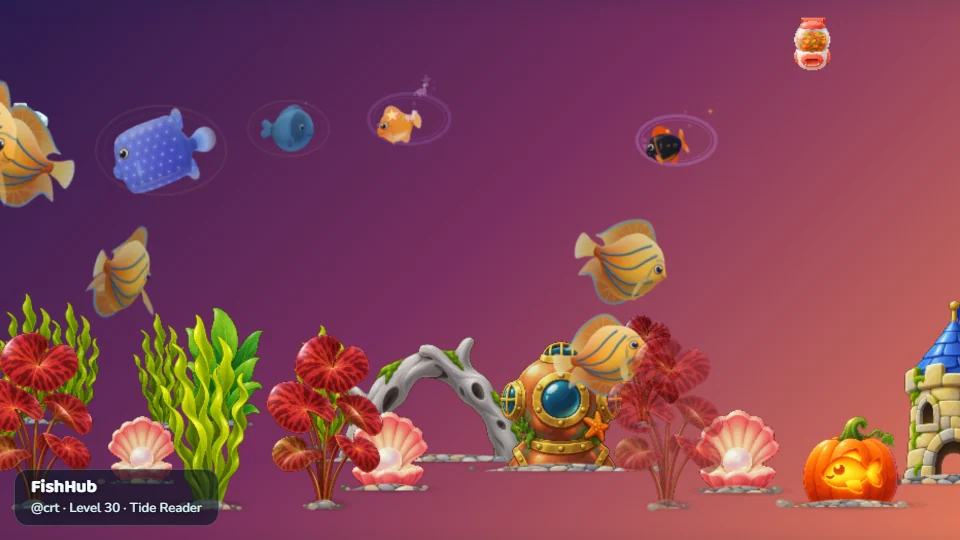
Put your Fishies aquarium on your stream: the real, live tank as a browser source for OBS Studio, Streamlabs or any other streaming app, with no menus and no sound.
The address
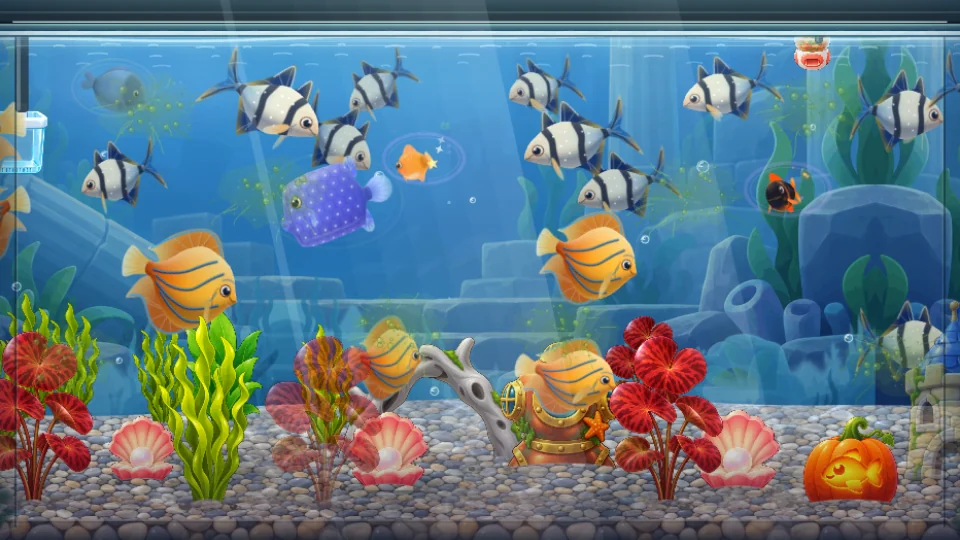
https://fishies.lol/overlay/your-handle is your aquarium as a browser source: no menus, no sound, no loading screen over your scene, and a frame rate capped at 30 so it stays light beside your encoder. With ?bg=transparent the water is gone and only the fish and the decorations are drawn, so they swim over your own scene.
Add it in OBS Studio
In OBS Studio (the same steps work in Streamlabs Desktop and any other browser source):
- In Sources, press + and choose Browser.
- Paste
https://fishies.lol/overlay/your-handle?bg=transparentinto URL. - Set Width and Height to the size you want it to cover, for example 1920 and 1080. Leave Custom CSS as it is: nothing needs changing, the page already has a transparent background.
- Press OK, then move and resize the source in your scene like any other. If it ever stops, right-click the source and choose Refresh.
Let the game write it
The game writes this address for you: Embed & cards in My Aquarium has a Stream overlay card where you pick the aquarium, With water or Fish only, and the name plate, with a preview, and copies the address with your handle in.
Options
| Option | What it does | Default |
|---|---|---|
bg=transparent |
Fish and decorations only. Leave it out for the whole aquarium with its water | the whole aquarium |
fps=20 |
Frames per second, 10 to 60 | 30 |
fish=12 |
Draw at most this many fish (the rest stay home, which saves work) | all of them |
size=70 |
The aquarium's scale inside the source, 25 to 200 percent, centred | 100 |
plate=1 |
The aquarium's name and your level, bottom left, set straight on the picture with its own shadow (no box behind it). It grows with the source and with size |
off |
aquarium=2 |
Which of your aquariums, 1 to 3 (a missing or private one shows the one your address opens) | the one your address opens |
For example, https://fishies.lol/overlay/your-handle?bg=transparent&fish=15&plate=1.
How it behaves
The overlay shows public aquariums only and cannot change anything. If yours is private it says so in the middle of the source, with what to do, and the aquarium appears by itself within a minute of you opening it to visitors. It stops drawing while the source is hidden in every scene, so a hidden overlay costs your stream nothing. It reconnects by itself when your network drops, and if it could not load at all it tries again after twenty seconds. Add lang in the path (https://fishies.lol/tr/overlay/your-handle) for the little text it can show in another language.
Your handle is the name after @ in your aquarium's address (fishies.lol/@your-handle). Replace your-handle with it in the examples above.
How this repository is made
It is published from the game's own tooling at each release, one commit per release (Fishies <version>). This is the version for Fishies 0.8.24.
Found a problem, or built something?
Open an issue, or send a pull request: fixes, set-up steps for other streaming apps and scene ideas are welcome. An accepted change is copied into the game's tooling so the next release keeps it. To talk to us, come to Discord.
More ways to show your aquarium
- On your own site: fishies-embed, an iframe, one HTML tag and a live README card.
- On your desktop: fishies-wallpaper-engine, a live wallpaper for Wallpaper Engine.
Licence
The examples are MIT: use them however you like. The aquariums the overlay shows and the pictures in images/ are © Fishies · they may be used to talk about or show Fishies; not for use in other games or products.